Blocked by Wuli

Your apps stay locked until your tasks are done.

And proven: someone close confirms, or you pass a quiz. Only then do your apps open again.

Download on the App StoreGet it on Google Play

Free to start · iPhone and Android

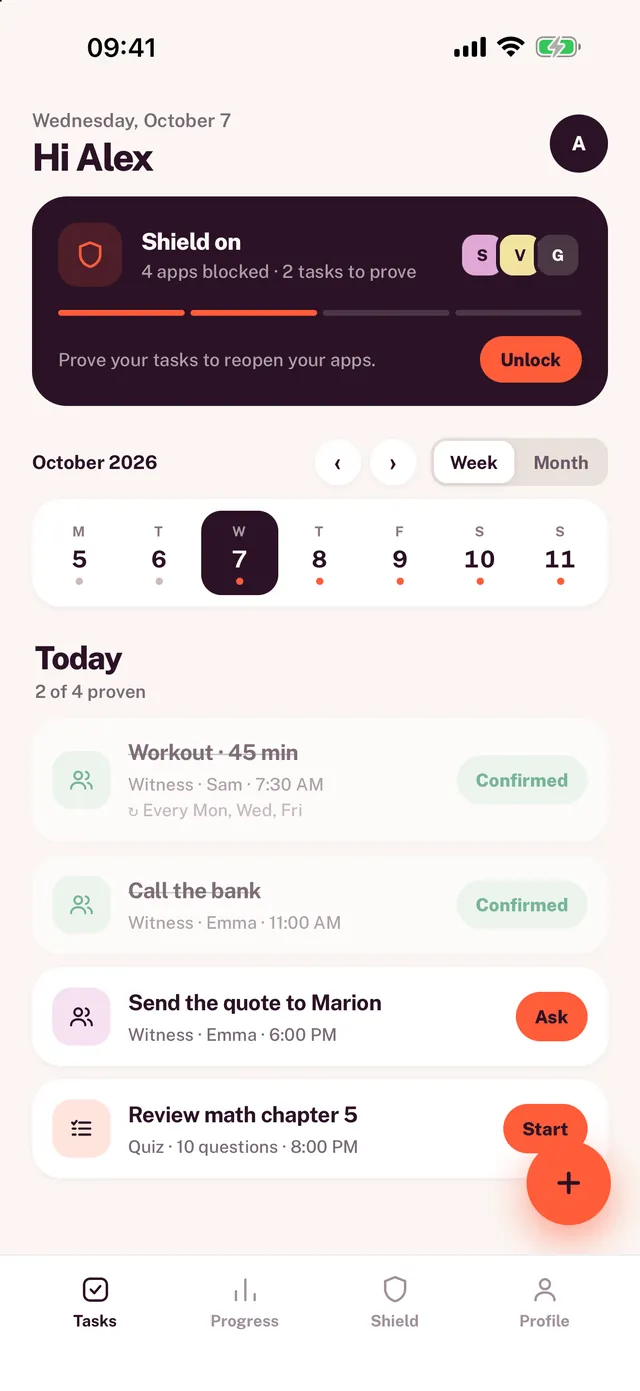
Wuli's home screen: the shield on, the week, and today's tasks to prove.
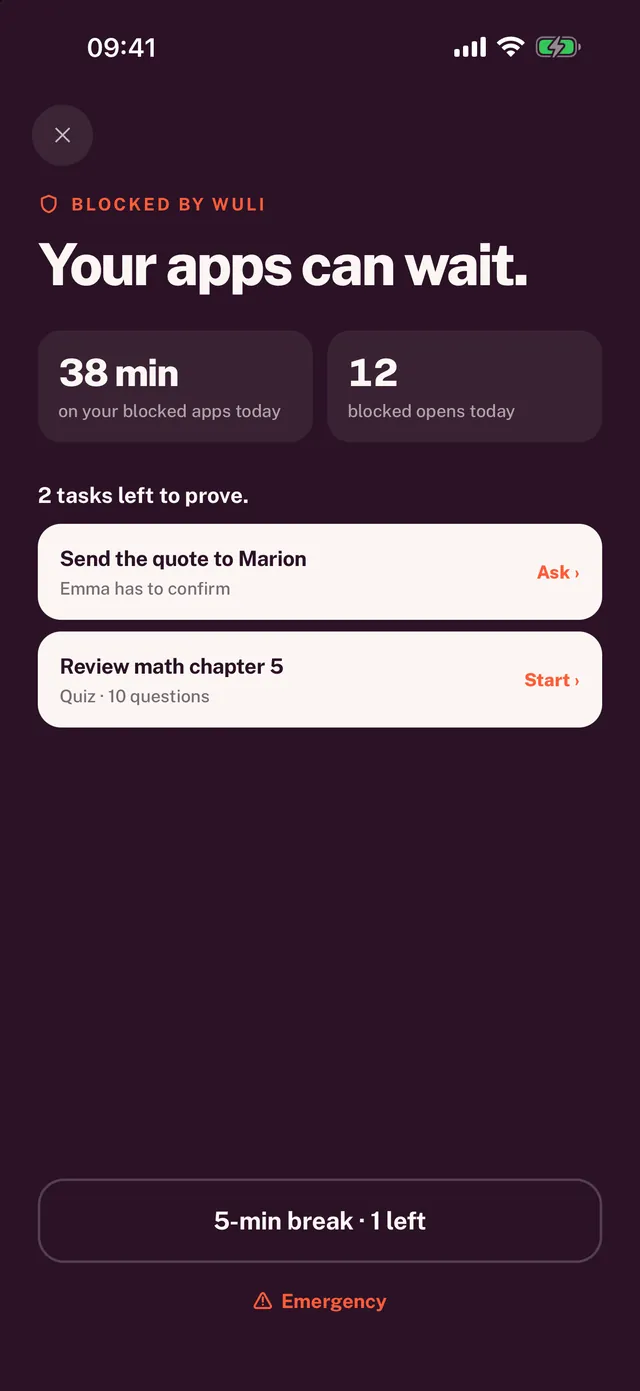
Wuli's block screen: “Your apps can wait.”, with the two tasks left to prove.

How it works

Three steps. Not one more.

  1. 1

    Pick your apps.

    The ones that eat your time. Wuli locks them.

  2. 2

    Add your tasks.

    The quote, the workout, chapter 5. With a deadline.

  3. 3

    Prove them.

    Everything proven? Your apps open again.

Two ways to prove it

Your word isn't enough.

The witness

Someone close confirms.

They answer “done” or “not done” from a link. No app, no account.
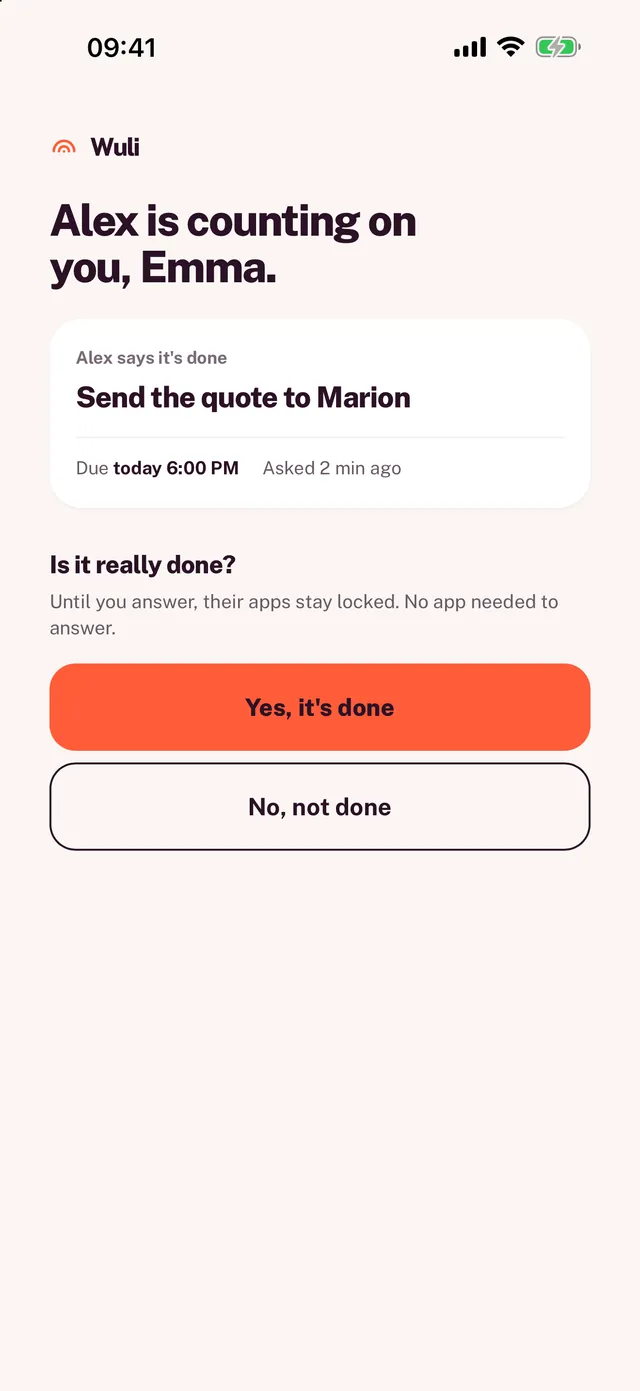
The witness page: “Alex is counting on you, Emma.”, with the “Yes, it's done” and “No, not done” buttons.

The quiz

Your course becomes a quiz.

Take a photo of it. Pass the quiz: you've studied, and your apps open again.
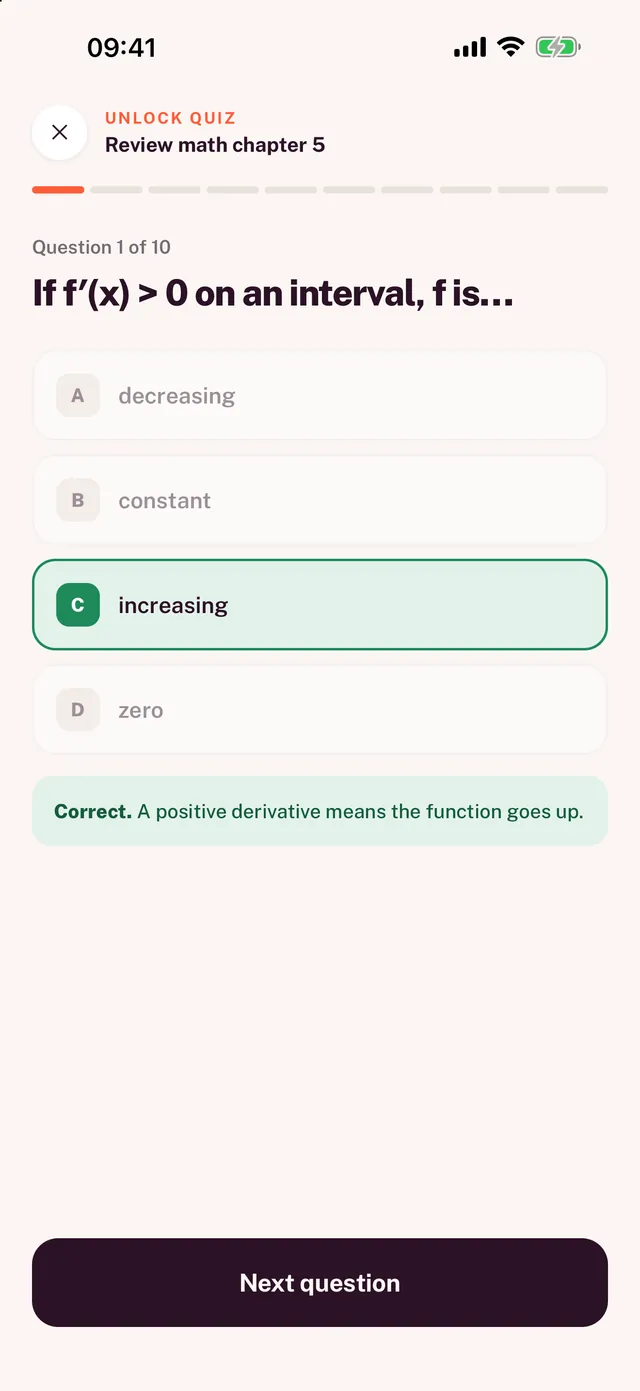
A question from a Wuli quiz, the right answer in green with its explanation.

Habits

Every week, on autopilot.

Workouts, reading, admin: a task comes back on the days you pick.
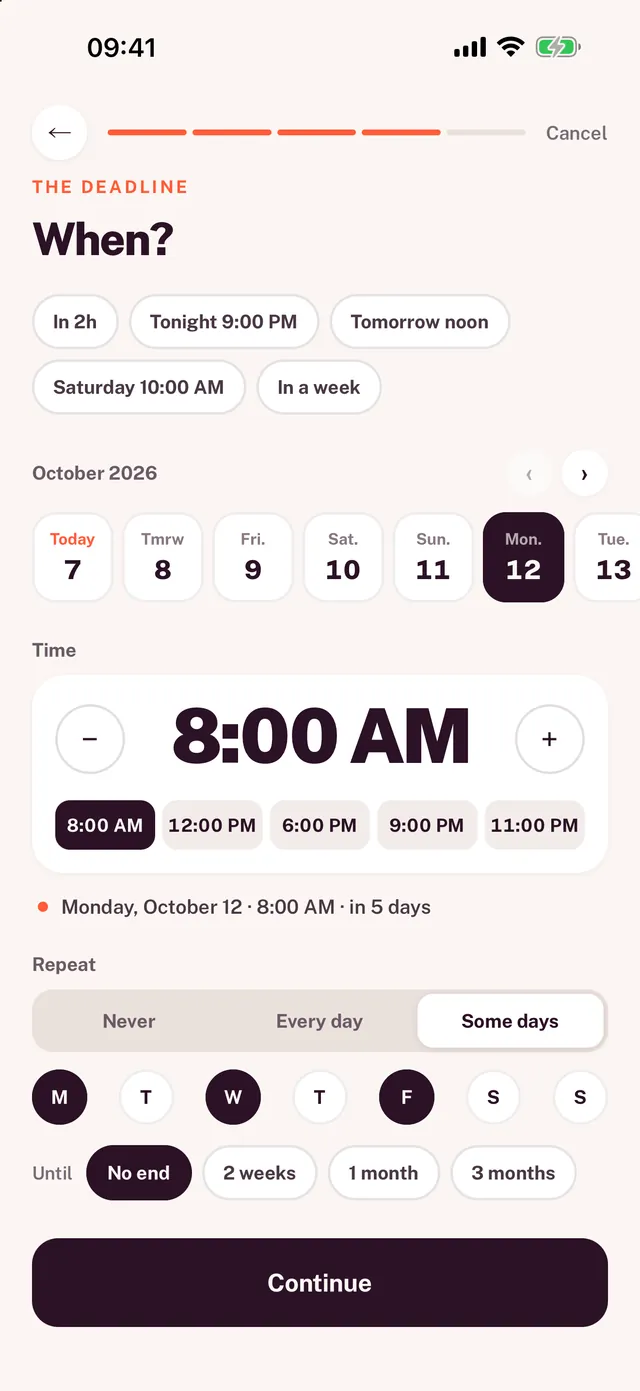
A recurring task in Wuli: Monday, Wednesday and Friday at 8 AM, no end date.

Stats

Your progress, day after day.

Your streak, your best, and the time you won back.
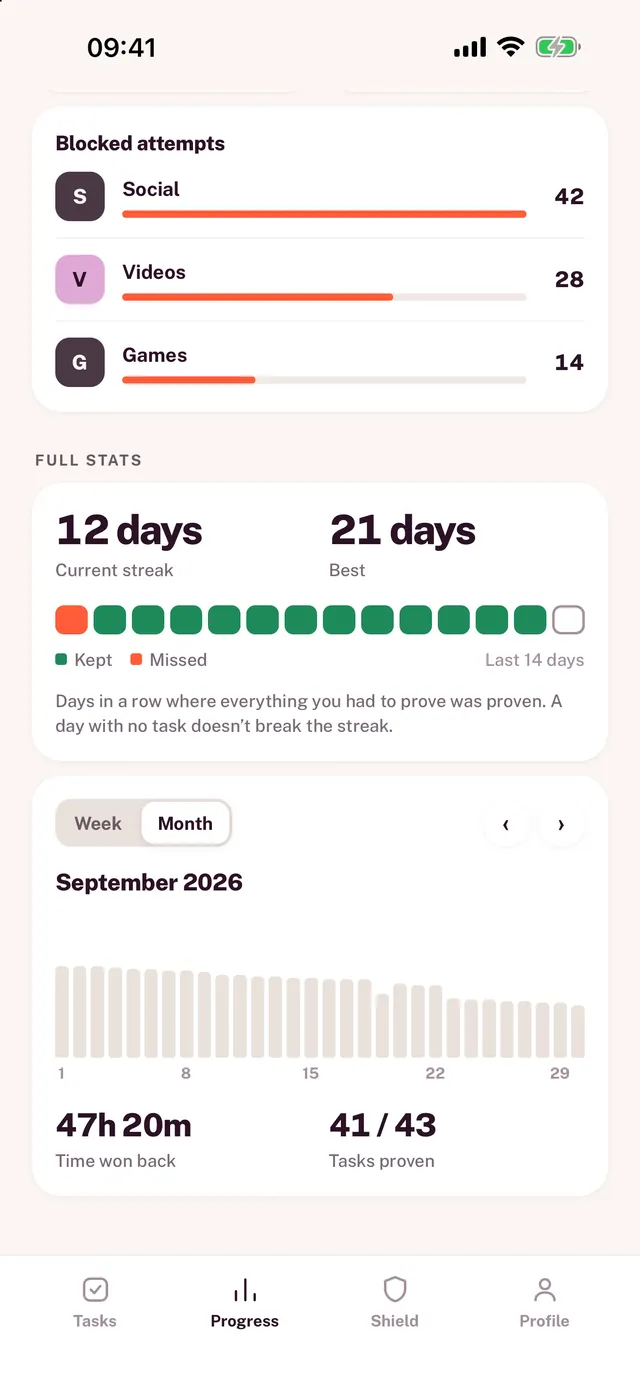
Wuli's stats: blocked attempts, a 12-day streak, a 21-day best.

Your rules

Strict when you want. Flexible when you need.

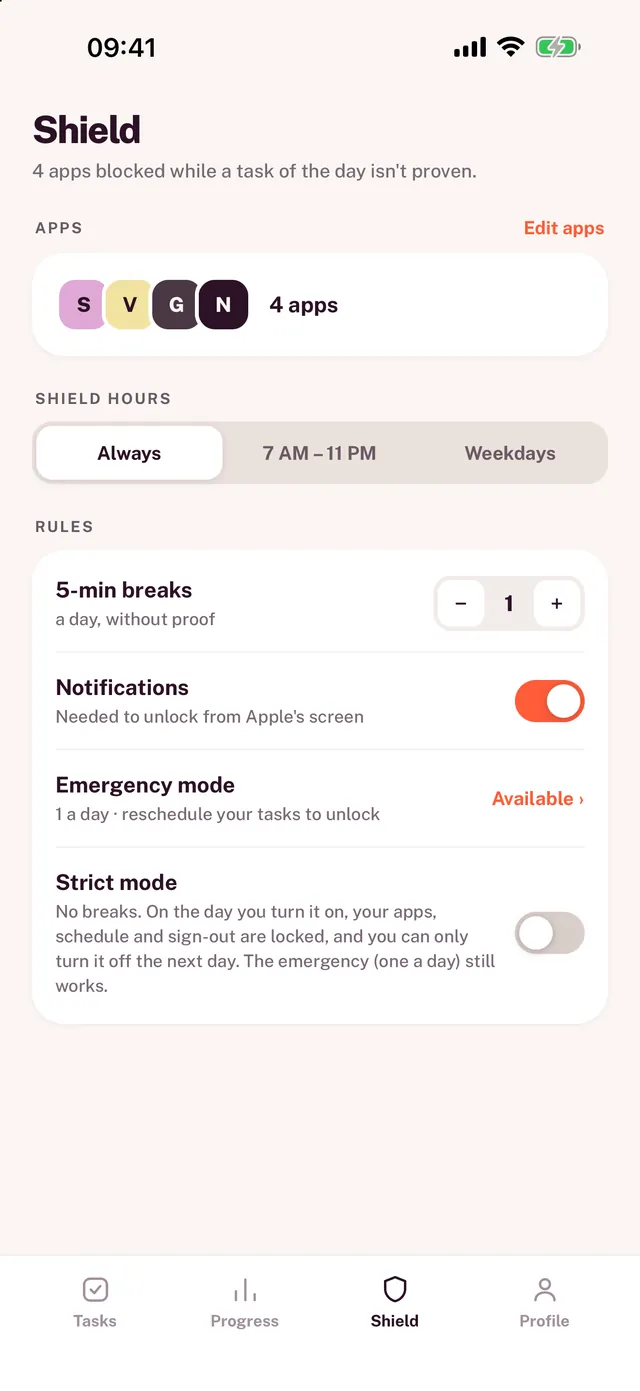
  • BreaksFive minutes, no proof needed.
  • EmergencyOnce a day, when it really can't wait.
  • Strict modeNo breaks. Wuli can't be turned off until tomorrow.
The shield settings: locked apps, hours, breaks, emergency mode and strict mode.

Free to start. Premium to go further.

For work, workouts or studying. Ages 15 and up.
Download on the App StoreGet it on Google Play
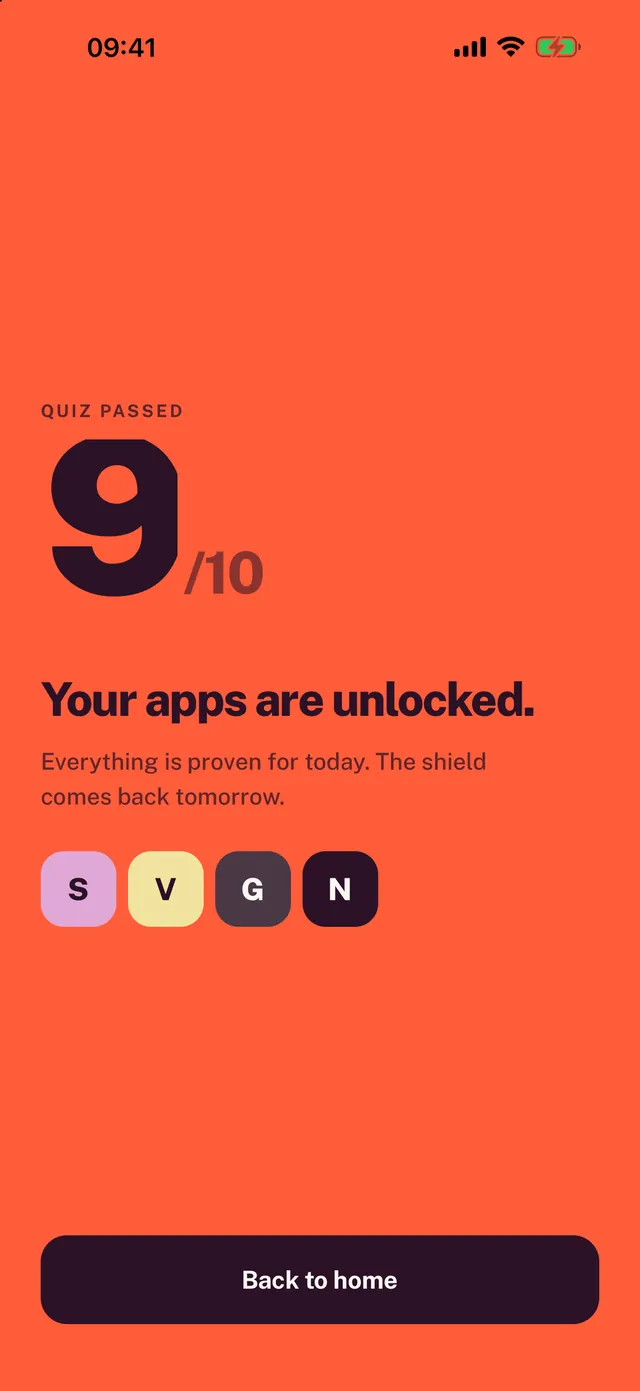
Quiz passed, 9 out of 10: “Your apps are unlocked.”
Wuli — Your apps stay locked until your tasks are done